Yes, you can get mobile network on parts of the Kedarkantha route, but you should not expect steady signal once you move towards the trek area. BSNL and Jio are the most commonly reported options around Sankri, while Airtel and Vi can also work in some parts of the approach or at isolated spots. Reports from trek operators and trekkers differ, so there is no SIM that can promise signal all the way to the summit.
This is why I would plan Kedarkantha as an almost offline trek. Make your important calls before you lose signal, download your maps and bookings, and tell your family that you may be unreachable for a while. It is much better to prepare for no network than to keep walking around a campsite looking for one bar. One more point matters here. The network does not simply “die after Sankri” for everyone. Some trek reports say the last useful signal is around Purola, while others report BSNL or Jio at Sankri and occasional signal higher up. The exact experience can change with your SIM, phone, weather, terrain and even where you stand.

Kedarkantha Trek Network Coverage at a Glance
The road to Kedarkantha passes through a few key places before the actual trek begins. Purola sits at about 1,524 m, while Sankri is around 1,950 m. Mori lies between them and is a common stop on the drive.
These places matter because your phone may still work on the approach road even when it becomes useless deeper in the hills. Trek The Himalayas has recorded network disappearing after Purola on one Kedarkantha trip. Bikat Adventures also has a trek account where the driver tells the group there will be no network after Purola.
At the same time, current Kedarkantha information from Bikat says that BSNL and Jio are available in Sankri, while mobile reception is not available after Sankri. So, rather than giving you one hard line, the honest answer is to expect the network to become weak around the Purola to Sankri stretch and unreliable once you enter the trail. If you want to know what the base village is like before reaching, check the Sankri village gives useful local context.
What you can expect
Place | Network expectation | What you should do |
Purola | Better chance of mobile service | Make important calls |
Mori | Network may be available | Finish urgent online work |
Sankri | BSNL and Jio are commonly reported | Call family and download data |
Sankri to trail | Weak or no regular service | Do not depend on mobile data |
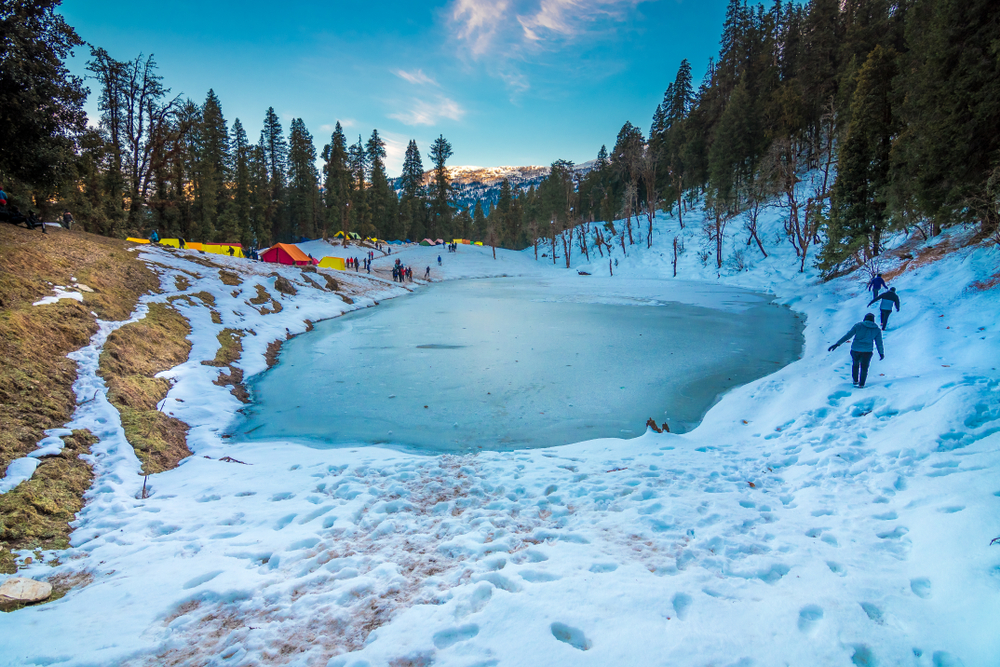
Juda Ka Talab and camps | Mostly unreliable | Stay prepared for offline use |
Higher ridges/summit | Occasional signal is possible | Treat it as a bonus, not a plan |
This table is a guide, not a live coverage map. Mountains are full of surprises. One person may get a call through while another person standing five metres away gets nothing.
Which SIM Works Best on Kedarkantha Trek?
If you want one extra SIM for this trip, BSNL is the safest bet based on repeated reports from trek operators and trek sources around Sankri. Jio is also worth keeping because current trek information reports Jio working in Sankri.
But I would not write off Airtel or Vi completely. There are trekker reports of other networks working in isolated places, and network conditions can change over time. The problem is that these reports are not strong enough to promise regular service.
So, if your question is “Which SIM should I carry?”, my practical answer is this:
- BSNL: Best extra SIM to consider for the Sankri area.
- Jio: Useful around Sankri and worth keeping if it is already your main number.
- Airtel: May work on parts of the approach, but do not rely on it deep into the trek.
- Vi: Can work in some areas, but coverage is not dependable on the trail.
There is also a good reason not to make claims like “BSNL works everywhere”. Even Indiahikes describes Kedarkantha connectivity as sparse, while noting that there are a few places where trekkers can rely on a good network.
Does Mobile Network Stop After Purola or Sankri?
This is where the answer needs some care. You will find different reports because people are talking about different things. One trekker may mean “I could not use internet”. Another may mean “I could not make a call”. A third may have found one bar on an open ridge and called that network.
Trek The Himalayas has a first-hand account saying mobile network was not available after Purola. A Bikat trek account gives a similar experience, with the driver warning trekkers about no network after Purola.
On the other hand, Bikat’s current Kedarkantha page says BSNL and Jio work in Sankri, with no mobile reception after Sankri. That makes Sankri an important communication point even if your own phone loses signal earlier on the drive.
So, if you need a simple rule, use this one: make your last important call in Purola or Sankri, whichever still gives you a stable signal. Do not wait for the campsite. Once you leave the village, the trail quickly becomes a different experience. The Day 2 route from Sankri to Juda Ka Talab is a good example of how you move deeper into the forest.
What About Signal at Kedarkantha Summit?
You may hear stories of trekkers making calls or even video calls from high points. Such reports can be true. A high ridge gives your phone a better chance of reaching a distant tower because there are fewer hills and trees blocking the path. That does not mean the summit has fixed mobile coverage.
Think of summit signal as a lucky bonus. If your Jio, Airtel, Vi or BSNL suddenly shows a bar while you are near an open ridge, great. Make your call and enjoy the view. The Kedarkantha summit climb itself is better treated as a physical challenge than a chance to find mobile signal. But do not tell your parents, “I will definitely call you from the summit.” That is not a safe promise.
Does 4G or 5G Work on the Trek?
Your phone being 5G-ready does not mean you will get 5G on a Himalayan trail. A phone needs a nearby network and a usable path to a tower. Thick forest, steep slopes and ridges can block or weaken that connection. Even the official Jio coverage map warns that its coverage is an estimate and that real-world service can vary. The same idea applies to every network. TRAI now lists operator coverage maps for providers such as Airtel, BSNL, Jio and Vi, but it also notes that actual coverage can differ from what a map shows.
So, before your trek, you can check your operator’s coverage map for the route. Just do not treat the coloured map as a guarantee that your phone will work beside your tent. Saving an offline Kedarkantha trek route map before you leave is a much safer plan.
What About Kotgaon and Gaichawan Gaon?
This is an important point if your trek does not use the usual Sankri route. Kedarkantha has more than one approach. Indiahikes currently lists three main routes: Sankri, Gaichawan Gaon and Kotgaon. The trails approach the same summit from different sides. That means a network guide based only on Sankri is incomplete. Your exact starting village matters.
Indiahikes also notes that Sankri, Gaichawan Gaon and Kotgaon are the last points on its routes with electrical connections, though power can be very irregular. If your operator starts from Kotgaon or Gaichawan Gaon, ask them about current network conditions before leaving. Do not assume that a Sankri network report will match your route.
What Should You Do Before Leaving Sankri?
This is the part I would take most seriously. Imagine you have just checked into your homestay. Your phone shows two or three bars. You think, “I will call everyone after dinner.” Then you wake up the next morning, walk into the forest and realise the phone has become a small camera with no network.
Use the last good signal window wisely.
- Call your family before starting the trail.
- Send your trek leader’s contact details to someone at home.
- Download your route and maps for offline use.
- Screenshot your booking and travel details.
- Save emergency numbers in your phone.
- Download any files you may need without internet.
- Put your phone on battery saver once you enter the no-signal zone.
Also carry a power bank. Cold weather can drain phone batteries faster, and Indiahikes specifically recommends carrying a power bank of more than 10,000 mAh for the trek. A power bank is also only one part of your gear, so check the full Kedarkantha trek packing list before you leave.
What If Your Family Needs to Reach You?
Tell them about the network gap before you start. This simple step can prevent a lot of worry. Give them your trek company’s number, trek leader’s number and your expected return date. Tell them that you will call when you reach a network area again. Do not promise daily calls.
If something goes wrong, your trek group should have its own emergency plan. Depending on the operator and route, this can include trained trek leaders, local support and other communication methods. Ask your trek operator what they carry before you leave. Do not assume your personal mobile phone is the main rescue tool.
For a serious emergency, India’s official emergency response number is 112. It is also worth knowing where the planned emergency exits on Kedarkantha trek are, rather than relying on your phone during a crisis.
Can Satellite SOS Replace Mobile Network?
Not yet as a general solution for an Indian Kedarkantha trek. Some newer phones have satellite emergency features, but availability depends on the country and device. For example, Apple’s current support page lists Emergency SOS via satellite in several countries, but India is not on its current availability list. So, if you carry a recent iPhone, do not assume that its satellite SOS will work in Kedarkantha. Check the feature for your exact device and country before the trek.
Dedicated satellite communication devices are a different matter, but most casual Kedarkantha trekkers do not need to buy one just for this trek. Your first step should be to choose a reliable trek operator and understand how they handle emergencies when mobile service is absent.
Should You Carry Two SIM Cards?
If you already have two SIMs, yes, keep both active. It gives you more options during the long drive to Sankri. If you have only one SIM, you do not need to panic and buy three more. For most trekkers, the bigger win comes from offline preparation rather than collecting SIM cards.
If staying connected is very important to you, a BSNL SIM is worth considering alongside your normal Jio, Airtel or Vi number. Just remember that no SIM guarantees coverage on the Kedarkantha trail.
Is There Wi-Fi in Sankri?
Some accommodation providers may offer Wi-Fi, but do not treat it as guaranteed high-speed internet. Bikat currently notes that its Sankri homestays can provide Wi-Fi on a paid basis. This can be useful for one last video call, a work message or downloading files before the trek.
Still, I would use Wi-Fi as a bonus. Mountain internet can be slow or stop working during power cuts. If you plan to spend a night in Sankri before the trek, choosing where to stay in Sankri for Kedarkantha trek can also make the start of your trip easier.
The Best Way to Think About Kedarkantha Network
Do not plan your trek around mobile coverage. The most sensible approach is to treat Purola as an important last communication point, Sankri as your main digital checkpoint, and the trail beyond that as an offline zone. The exact cut-off can shift, and occasional signal can appear in places where you least expect it.
If you are using the Sankri route, BSNL and Jio are the two networks most clearly reported around the base village. If you are starting from Kotgaon or Gaichawan Gaon, check with your trek operator because the route is different.
And perhaps that is the best part of the whole thing. Once the bars disappear, nobody can send you another office message, your family cannot ask where you are every ten minutes, and the mountain gets your full attention. Would you really want a Himalayan summit to load on a 5G bar before it takes your breath away?